Sync to bars
Markers such as [1], [5], and [9] tell Lyrx which bar starts the next lyric section.
VST3 / LYRICS
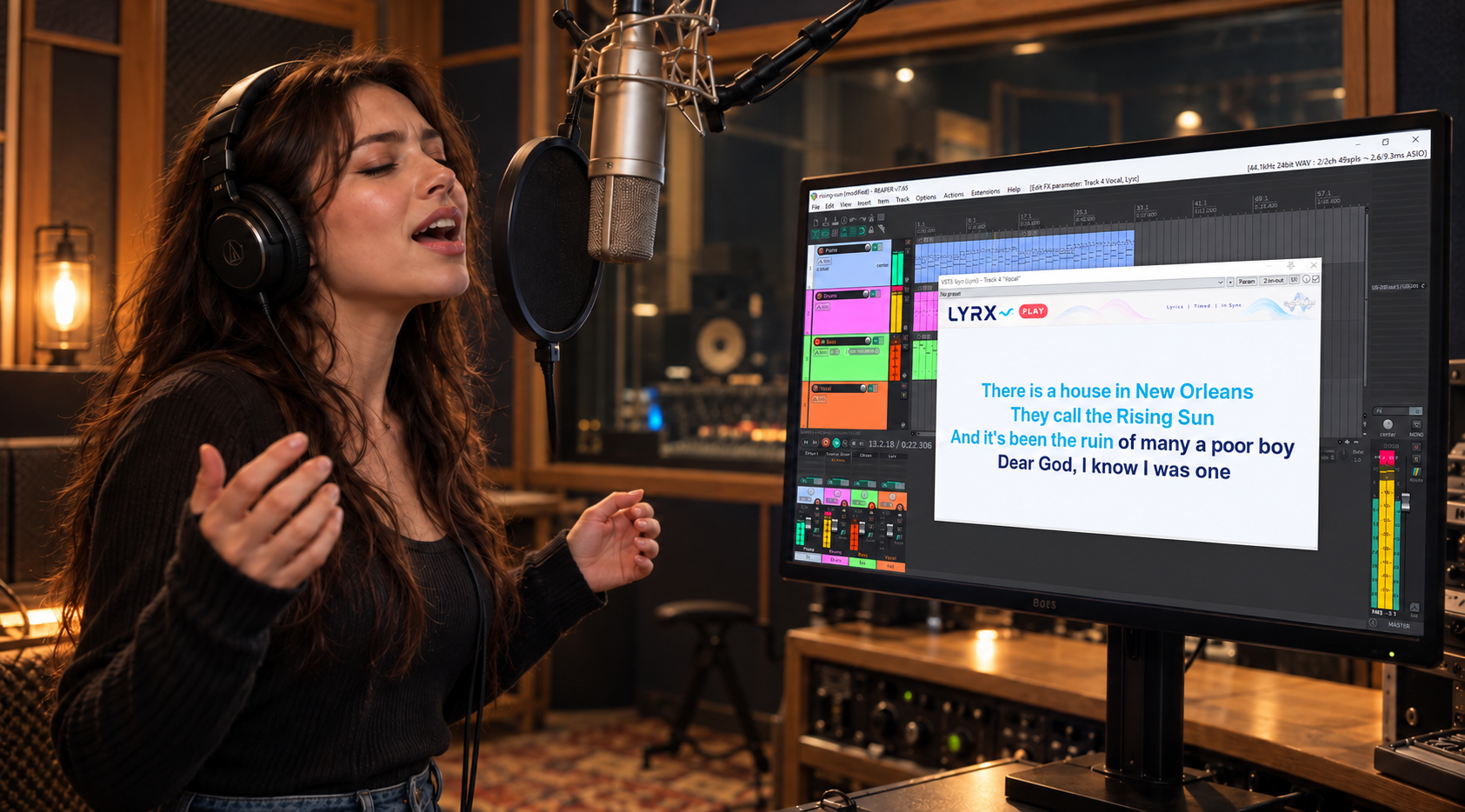
Lyrics in time with your project. Lyrx follows the playback position in your DAW and displays the right lines when you need them.
LYRX FEATURES
Add lyrics to your project once. Lyrx displays the right section during playback.
Markers such as [1], [5], and [9] tell Lyrx which bar starts the next lyric section.
During playback, the current section takes over the editor. Stop playback to edit the lyrics again.
A timer before a selected bar helps you catch your cue. Set the number of steps and their duration in the settings.
How it works
Insert Lyrx on an audio track and enter lyrics in its editor. The Add Marker button inserts a marker at the cursor. If your DAW provides its position, Lyrx suggests the next bar number. Audio passes through Lyrx unchanged.
[1] First verse
[5] Chorus
[timer|9] Final line
[13]
DISPLAY
Set up lyric display to match your task and workflow.
The active section moves as playback progresses.
The current section stays in place.
Characters in the active section are highlighted progressively over its interval.
COMPATIBILITY
Lyrics and settings are saved with your DAW project. The interface is available in six languages: Russian, English, French, Italian, German, and Spanish.
LYRX LICENSE
Save the key you receive after purchase. Instructions for entering it are on the activation help page.
Read the terms before payment: Public offer.
LYRX PLUGIN
Start with a free Lyrx trial: just download the installer. Or buy the full version for ongoing use.