01
Harmony on your terms
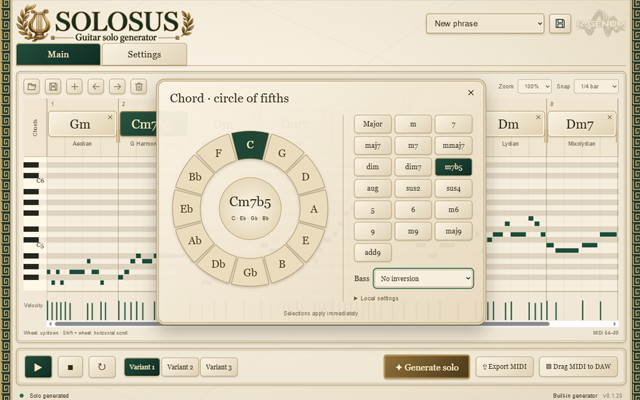
Add chords, change their order and adjust their duration. Extended chords and slash chords are supported; tempo, time signature, mode and tonic can be set per chord.
VST3 / GUITAR SOLO GENERATOR
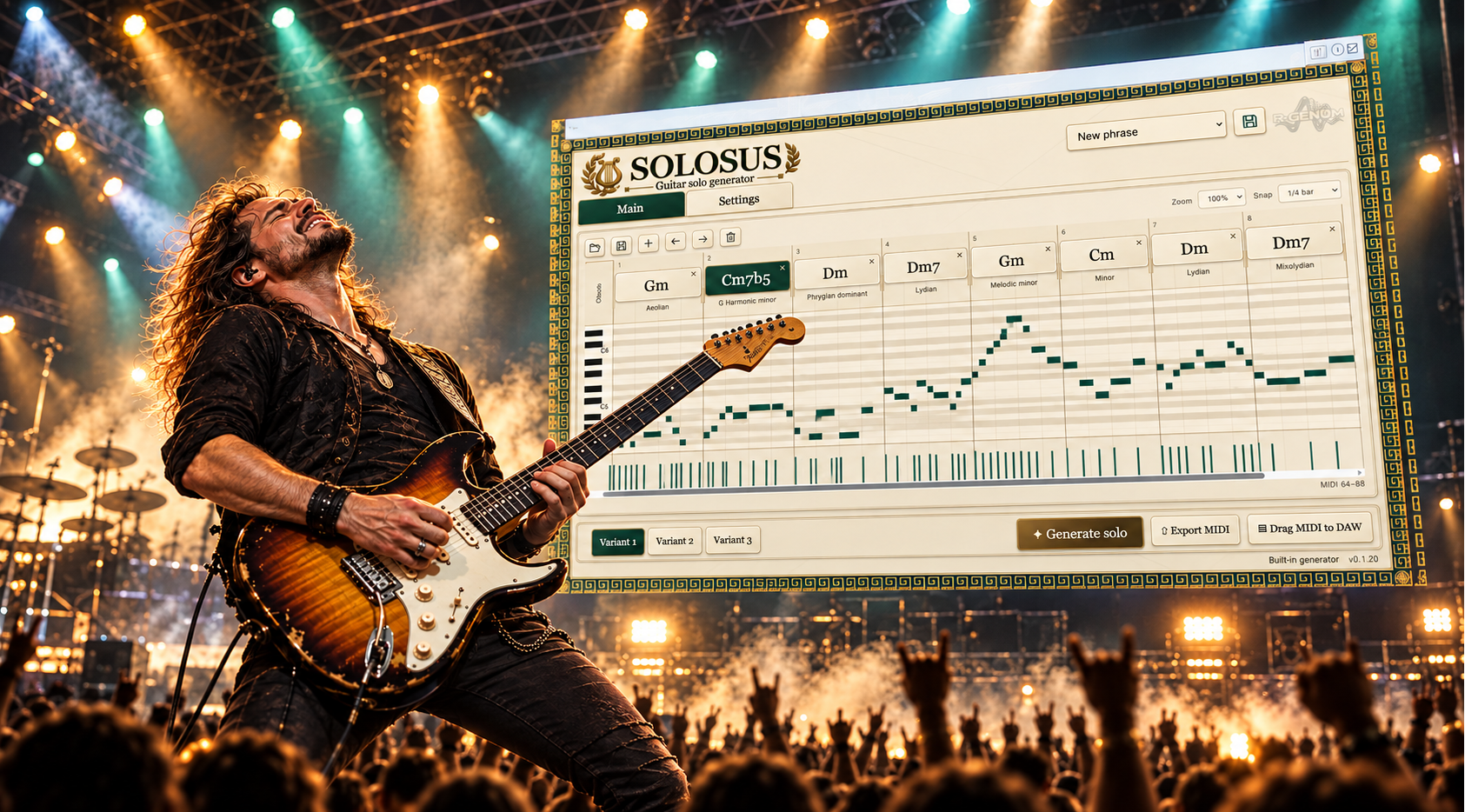
From chords to a solo. Build your harmony, shape the performance and generate a guitar MIDI part for your project.
SOLOSUS FEATURES
Start with your chord progression. Solosus helps you turn harmony into a part you can develop further in your project.
01
Add chords, change their order and adjust their duration. Extended chords and slash chords are supported; tempo, time signature, mode and tonic can be set per chord.
02
Generate solo variants, switch between them and listen with the built-in synthesized preview. The configuration and variants are saved with your DAW project.
03
Export a MIDI file or drag the part into your DAW. Export includes velocity, bends, slides, the GM program and pitch bend range.
How it works
Open Solosus as a VST3 instrument. Set up your progression, adjust generation and listen to the result. The built-in preview lets you evaluate a phrase before moving the MIDI to a track with your chosen instrument.
PERFORMANCE
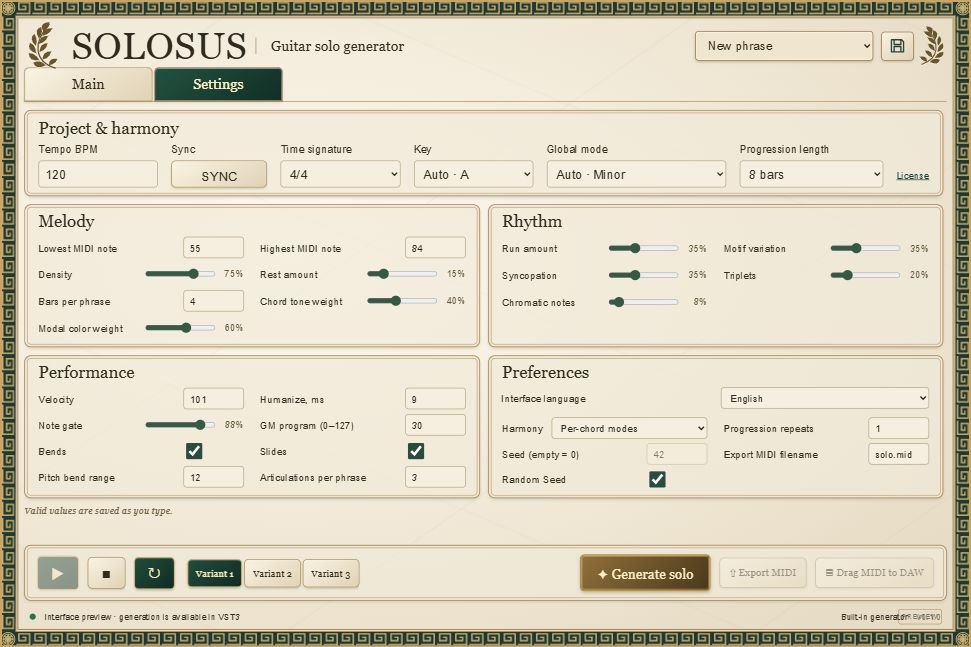
Note range, density, rests and phrase length set the melodic foundation. Syncopation, triplets and chromatic notes shape the rhythm, while velocity, humanize, bends and slides shape the performance. Save your settings as JSON to use them again.
COMPATIBILITY
Windows x64 and a DAW that supports VST3 instruments. Microsoft Edge WebView2 Runtime and Visual C++ 2015–2022 x64 Runtime are required. Generation runs locally; activation or starting a trial requires an internet connection.
SYNC follows the DAW tempo and playback position. MIDI export retains the tempos and time signatures from your configuration. MIDI output support and articulation playback depend on your DAW and receiving instrument.
SOLOSUS LICENSE
Save the key you receive after purchase. Instructions for entering it are on the activation help page.
Read the terms before payment: Public offer.
SOLOSUS PLUGIN
Download the Windows x64 installer, install the plugin and rescan VST3 plugins in your DAW. On first launch, activate a Solosus key or start a 14-day trial.
Windows x64 · EXE installer